

Comsol, which makes software solutions for multiphysics modeling and analysis and for app design, has updated its LifeLink for SolidWorks product.
As an add-on to Comsol’s multiphysics software, the LiveLink tool allows simulation applications that synchronize with SolidWorks to be accessed, launch, and run.
With the app, designers can analyze and modify SolidWorks geometry from the interface of their tailor made app. Users can also browse and run apps from within the SolidWorks interface, including those that use a geometry synchronized with CAD software.
New App: Bike Frame Analyzer
In fact, a new bike frame analyzer app has been added to within Comsol’s application library to demonstrate LiveLink’s capabilities. The app interactively updates SolidWorks CAD geometry while computing the stress distribution in the frame subject to various loads and constraints.
Designers can use the app to test different configurations of a bike frame for different parameters such as, dimensions, materials, and loads. The app computes the stress distribution and the deformation of the frame, based on the structural dimensions, materials, and loads/constraints of the bike frame.
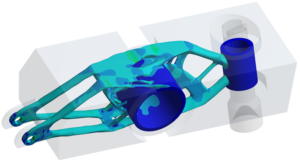
The bike frame analyzer app demonstrate how Comsol apps work with SolidWorks CAD information.
Application Builder Defined
The application builder allows analysts to create multiphysics apps that can be used by anyone, including support staff, designers, and customers, who can make design iterations and generate reports. They don’t need access to the complete model to use the app and cannot make model changes. Rather, they use the app to solve for their own model parameters on an existing model.
Users access these apps via the Comsol server, which stores the apps and makes them accessible on laptop, desktop, smartphones, Littmarck said. The server can also store apps in the cloud.
Apps can now feature custom interfaces, including a company’s logo or other branded information, such as a company’s custom colors.
Two tools are integral to the application builder: the form editor and the method editor. The first is the platform for building the apps and allows for easy creation of your app’s user interface through drag-and-drop capabilities. The method editor is used to extend the app’s simulation capabilities by providing a programming environment for use with Java code.
The windows for the form and method editor have been merged with the application builder desktop. This allows users to work with forms and methods in one integrated environment and to switch from the model builder to the application builder with one click.
Demonstration Apps
Comsol includes a number of demonstration apps for different modules that—like the bike analyzer app—help users understand the capability for the apps they can create.
COMSOL comes with 20 apps that can be opened and investigated as to how they have been created and can be utilized. These include:
- Small Concert Hall Analyzer (acoustics module)
- Biosensor Design (chemical reaction engineering module)
- Transmission Line Calculator (AC/DC module)
- Corrugated Circular Horn Antenna Simulator (RF module)
- Plasmonic Wire Grating Analyzer (RF module, wave optics module)
- Distributed Bragg Reflector (DBR) Filter (ray optics module)
- Concentric Tube Heat Exchanger Dimensioning Tool (heat transfer module)
- Heat Sink with Fins (heat transfer module)
- Red Blood Cell Separation (microfluidics module, particle tracing module)
- Ion Implanter Evaluator (molecular flow module)
- GEC CCP Reactor (plasma module)
- Wavelength Tunable LED (semiconductor module)
- Beam Subjected to Traveling Load (COMSOL multiphysics)
- Truck Mounted Crane Analyzer (structural mechanics module, multibody dynamics module)
- Parameterized Concrete Beam (structural mechanics module, geomechanics module)
- Frame with Cutout Subjected to Random Load (structural mechanics module, fatigue module)
- Tubular Reactor (COMSOL multiphysics)
- Tuning Fork (COMSOL multiphysics)
- Li-Ion Battery Impedance (batteries and fuel cells module)
- Gas Box (pipe flow module)
Filed Under:3D CAD World


